Streamlining Role Management in Azure AD with PowerShell and Microsoft Graph

image

In today’s rapidly evolving IT ecosystem, effective role management is key. This is especially true for large organisations where managing roles for individual users can quickly become overwhelming. For businesses that leverage Microsoft Azure, there are robust tools at hand that can dramatically simplify and automate these intricate tasks. Among these tools, PowerShell in conjunction with Microsoft Graph stands out for its administrative efficiency.

In this blog post, we’re going to guide you through the process of crafting a PowerShell script that utilises Microsoft Graph to identify a specific Azure AD group and remove all roles assigned directly to all group members. Let’s get started!

Preparations

Before we dive in, there are a few prerequisites to note. Firstly, ensure that you have the Microsoft Graph PowerShell SDK installed. If not, use the Install-Module -Name Microsoft.Graph command in your PowerShell to add it.

Next, establish a connection to Microsoft Graph by using the Connect-MgGraph cmdlet.

Finally, remember to tread carefully when modifying user permissions. Scripts that implement bulk changes can be particularly powerful, but also potentially disruptive if not properly managed. It’s always wise to run tests with a small number of users before applying changes across an entire group.

Continue reading “Streamlining Role Management in Azure AD with PowerShell and Microsoft Graph”

Sending Emails Using Microsoft Graph API and PowerShell: An Advanced Guide

Graph

In this blog post, we’re going to explore how to send emails using Microsoft’s Graph API in combination with PowerShell. The Graph API provides a unified programmability model that you can use to take advantage of the tremendous amount of data in Microsoft 365, Azure Active Directory, and other Microsoft services.

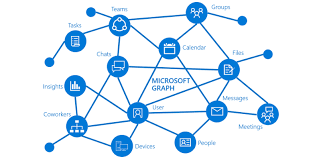
Microsoft Graph is a powerful API provided by Microsoft that allows for interaction with various Microsoft services such as Office 365, Azure Active Directory, Intune, and more. With Graph, we can automate tasks that interact with these Microsoft services in a simple and intuitive way.

One such task is sending emails, which we can automate using Graph API and PowerShell. In this guide, we’ll walk you through how to do this, using a provided PowerShell script as our starting point. We’ll also be generalizing all the variables to make the script usable for any case.

The script is divided into three main parts:

  1. Authentication
  2. Preparation of the email’s body and headers
  3. Sending the email

Let’s walk through the script step-by-step.

IMPORTANT: For this script to work correctly, the application in Azure AD that corresponds to your $AppID and $AppSecret needs to have the Mail.Send permission granted under the Microsoft Graph API permissions. Without this, the application won’t have the necessary permissions to send emails on behalf of users.

Note: Make sure to replace all the placeholder variables with your actual values.

Continue reading “Sending Emails Using Microsoft Graph API and PowerShell: An Advanced Guide”

Get-MgUser: Get and Export Azure AD users properties with Graph Modules

Graph_01

Hello everyone,

Recently Microsoft started adding/changing ways to extract user information from Azure AD (The Microsoft plan is to replace the AzureAD PS Module). One of the new ways (Not so new) is through the Microsoft Graph, which can be used through the Graph API or through the Graph Modules. In this article I will demonstrate how to install the graph module and also how to perform some queries using the existing cmdlets in one of the Microsoft Graph Modules.

Continue reading “Get-MgUser: Get and Export Azure AD users properties with Graph Modules”

Expressway – Exporting Banned addresses using PowerShell

Hey guys,

In this post I will show you one situation I came across this week.
Due some attacks we’ve been suffering, we decided to get all blocked IPs on Expressway and block them also in the local Firewall, as a workaround while we investigate it better.

The thing is, how can we export the list of Banned IP addresses on Expressway?
As I didn’t find anything, I decided to do on my way, automating it.

Continue reading “Expressway – Exporting Banned addresses using PowerShell”

Azure – Unable to acquire token for tenant

CAzContext_04

In today’s post I will show a recurring problem that can happen when connecting to Azure through PowerShell when we already have a login history from other Azure’s tenants.

As soon as we try to log into Azure via PowerShell, we will get this error stating that an existing token from another subscription could not be acquired (Your access to that subscription may have been removed and the context is still present in the local files).

CAzContext_01

To clear the historic sessions context in PowerShell we have to execute the command “Clear-AzContext”

CAzContext_02

After running this command above, you can log in again and check that the error has been fixed and the history has been removed.

CAzContext_03

And that’s it folks, quick and practical post.
See you soon!

Joao Costa