Unlocking Nested Virtualization in Azure: A Step-by-Step Guide

Azure

Nested virtualization in Azure is a powerful feature that enables running a Hyper-V hypervisor within an Azure virtual machine (VM). This capability is invaluable for developers, machine learning engineers, and data scientists who require flexible and scalable environments for testing, development, or containerized applications. This post provides a step-by-step guide to setting up nested virtualization, ensuring you can leverage its full potential.


Prerequisites and Supported VM Sizes

Before diving into the setup, ensure you choose an Azure VM that supports nested virtualization. Compatible VM sizes include:

  • Dv3, Dsv3
  • Dv4, Dsv4
  • Ddv4, Ddsv4
  • Ev3, Esv3
  • Ev4, Esv4
  • F2s_v2 to F72s_v2
  • FX4 to FX48
  • M series

For most use cases, the Dv3 and Ev3 series are excellent choices. Make sure the VM size meets the system requirements for your intended workloads, such as Docker Desktop.


Step 1: Deploying an Azure VM

  1. Create the VM:
    • Log in to the Azure Portal.
    • Select a Windows Server image and choose a compatible VM size.
  2. Configure Networking:
    • Set up the required inbound and outbound port rules.
  3. Deploy:
    • Review your configuration and deploy the VM.

Continue reading “Unlocking Nested Virtualization in Azure: A Step-by-Step Guide”

Goodbye 2023 and Welcome 2024! #ThankYou

thankyou

Hey everyone!

As we wrap up 2023, Bruno and I want to express our gratitude and share the accomplishments of our blog, now in its third fantastic year. Since launching on February 11, 2021, our journey in sharing insights and growing as professionals has been incredible. Your feedback has been a source of joy and inspiration, confirming our impact globally.

2023 Blog Statistics

Specializing in Microsoft cloud computing and Cisco collaboration, we’ve faced exciting challenges. This year, our blog saw remarkable growth. In three years, we’ve attracted over 67 thousands views with 64 posts.

image

Continue reading “Goodbye 2023 and Welcome 2024! #ThankYou”

Streamlining Role Management in Azure AD with PowerShell and Microsoft Graph

image

In today’s rapidly evolving IT ecosystem, effective role management is key. This is especially true for large organisations where managing roles for individual users can quickly become overwhelming. For businesses that leverage Microsoft Azure, there are robust tools at hand that can dramatically simplify and automate these intricate tasks. Among these tools, PowerShell in conjunction with Microsoft Graph stands out for its administrative efficiency.

In this blog post, we’re going to guide you through the process of crafting a PowerShell script that utilises Microsoft Graph to identify a specific Azure AD group and remove all roles assigned directly to all group members. Let’s get started!

Preparations

Before we dive in, there are a few prerequisites to note. Firstly, ensure that you have the Microsoft Graph PowerShell SDK installed. If not, use the Install-Module -Name Microsoft.Graph command in your PowerShell to add it.

Next, establish a connection to Microsoft Graph by using the Connect-MgGraph cmdlet.

Finally, remember to tread carefully when modifying user permissions. Scripts that implement bulk changes can be particularly powerful, but also potentially disruptive if not properly managed. It’s always wise to run tests with a small number of users before applying changes across an entire group.

Continue reading “Streamlining Role Management in Azure AD with PowerShell and Microsoft Graph”

Sending Emails Using Microsoft Graph API and PowerShell: An Advanced Guide

Graph

In this blog post, we’re going to explore how to send emails using Microsoft’s Graph API in combination with PowerShell. The Graph API provides a unified programmability model that you can use to take advantage of the tremendous amount of data in Microsoft 365, Azure Active Directory, and other Microsoft services.

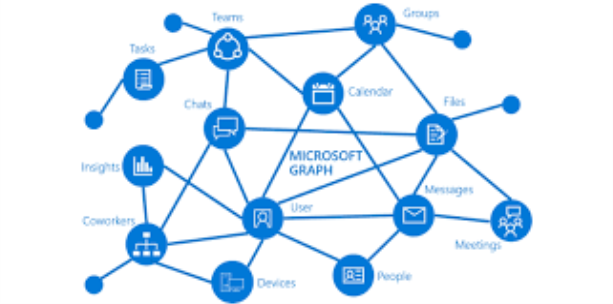
Microsoft Graph is a powerful API provided by Microsoft that allows for interaction with various Microsoft services such as Office 365, Azure Active Directory, Intune, and more. With Graph, we can automate tasks that interact with these Microsoft services in a simple and intuitive way.

One such task is sending emails, which we can automate using Graph API and PowerShell. In this guide, we’ll walk you through how to do this, using a provided PowerShell script as our starting point. We’ll also be generalizing all the variables to make the script usable for any case.

The script is divided into three main parts:

  1. Authentication
  2. Preparation of the email’s body and headers
  3. Sending the email

Let’s walk through the script step-by-step.

IMPORTANT: For this script to work correctly, the application in Azure AD that corresponds to your $AppID and $AppSecret needs to have the Mail.Send permission granted under the Microsoft Graph API permissions. Without this, the application won’t have the necessary permissions to send emails on behalf of users.

Note: Make sure to replace all the placeholder variables with your actual values.

Continue reading “Sending Emails Using Microsoft Graph API and PowerShell: An Advanced Guide”

Goodbye 2022 and Welcome 2023! #ThankYou

thankyou

Hey guys!

Today I just come here to thank you and share with you our goals achieved with the blog in our second year. We (Bruno and I) started this blog in February 2021, more precisely on 11/02/2021. Our idea was to share our knowledge and experience, help other people, learn and evolve as professionals. Honestly, we are very happy with our results and even more with our knowledge evolution, throughout the years we received several feedbacks and we were really happy with the idea of having helped some people and maybe many others around the world. Of course we need to say that it is daring to create a blog in a language that is not our native language, and this was and is a great challenge for us, but we believe that the message has been delivered and we hope that in 2023 we can make everything even better , always aiming to evolve.

Continue reading “Goodbye 2022 and Welcome 2023! #ThankYou”