Azure Health Check – A Free Script to Audit and Visualise Cloud Hygiene

Are you running Azure subscriptions and want a quick, human-friendly overview of your governance, compute, storage, network and Key Vault hygiene?
The Azure Health Check PowerShell script gives you exactly that — scanning multiple subscriptions, flagging weak spots, and producing a clean interactive HTML report (with charts!).

Why this matters

Large and growing Azure estates can easily drift into insecure or unsupported configurations: unprotected VMs, public storage blobs, missing resource locks, orphaned disks, exposed network ports — all of which can lead to security, availability or compliance issues.

Yet manually auditing each subscription is time-consuming. That’s where automation helps. With this script, you get a multi-subscription health summary, scored, visualised and exportable — ideal for periodic reviews, customer readiness checks, or even compliance audits.

Continue reading “Azure Health Check – A Free Script to Audit and Visualise Cloud Hygiene”

Microsoft Announces Mandatory MFA for All Azure Users

Authentication Icon

Microsoft has recently announced a significant change that will impact all Azure users: the mandatory implementation of Multifactor Authentication (MFA). This update aims to enhance security across the Azure platform by requiring additional verification for users accessing various Azure services.

Official Announcement: Read Microsoft’s MFA Requirement for Azure Users

Understanding the Changes

This update will affect all users interacting with the Azure Portal, Azure CLI, Azure PowerShell Modules, and Terraform when deploying to Azure. This includes guest accounts, service accounts, and break glass accounts.

Continue reading “Microsoft Announces Mandatory MFA for All Azure Users”

Automating Device Wipe in Microsoft 365 with PowerShell and Azure

In today’s digitally connected world, organizations often need to manage and secure their devices efficiently. This includes the ability to remotely wipe devices in case they are lost or stolen. Microsoft 365 offers powerful tools for device management and security, and with PowerShell and Azure, you can automate the process of wiping devices when needed.

In this blog post, we will walk you through a PowerShell script that utilizes Azure and Microsoft Graph API to search for a user and remotely wipe their devices if necessary. We will also include some Azure screenshots to help you visualize the process.

Prerequisites

Before we begin, make sure you have the following prerequisites in place:

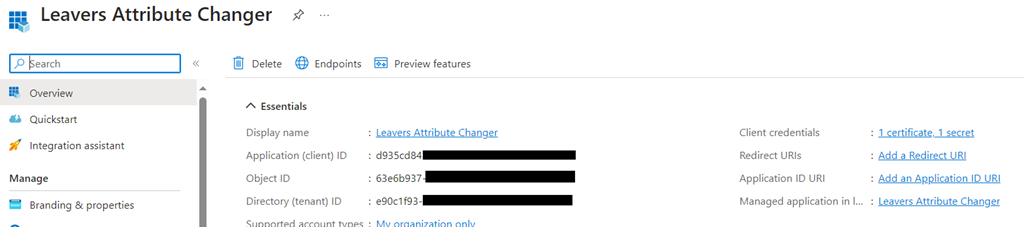
    Azure AD App Registration: You will need to register an Azure AD App and obtain the AppID and AppSecret for authentication.

Wipe_01

    Microsoft 365 Tenant: You should have access to a Microsoft 365 tenant, and you’ll need to know the tenant ID (e.g., $Tenant = “YourTenantName”).

Microsoft Graph API: Make sure you have permissions to use the Microsoft Graph API and can authenticate with the provided App ID and App Secret.

Wipe_02

Continue reading “Automating Device Wipe in Microsoft 365 with PowerShell and Azure”