Automating Device Wipe in Microsoft 365 with PowerShell and Azure

In today’s digitally connected world, organizations often need to manage and secure their devices efficiently. This includes the ability to remotely wipe devices in case they are lost or stolen. Microsoft 365 offers powerful tools for device management and security, and with PowerShell and Azure, you can automate the process of wiping devices when needed.

In this blog post, we will walk you through a PowerShell script that utilizes Azure and Microsoft Graph API to search for a user and remotely wipe their devices if necessary. We will also include some Azure screenshots to help you visualize the process.

Prerequisites

Before we begin, make sure you have the following prerequisites in place:

    Azure AD App Registration: You will need to register an Azure AD App and obtain the AppID and AppSecret for authentication.
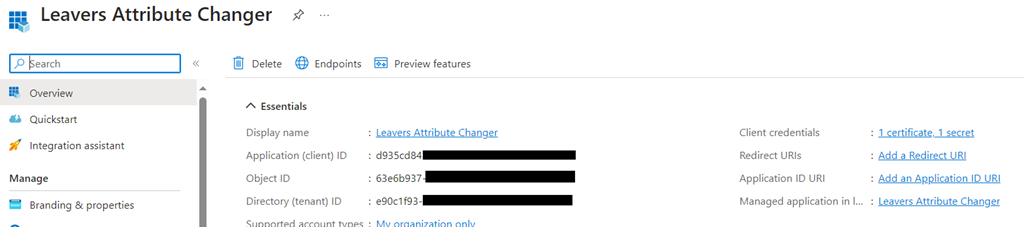
Wipe_01

    Microsoft 365 Tenant: You should have access to a Microsoft 365 tenant, and you’ll need to know the tenant ID (e.g., $Tenant = “YourTenantName”).

Microsoft Graph API: Make sure you have permissions to use the Microsoft Graph API and can authenticate with the provided App ID and App Secret.

Wipe_02

Continue reading “Automating Device Wipe in Microsoft 365 with PowerShell and Azure”

Setting Up Custom Security Attributes with Microsoft Graph in Azure

Untitled design - 1

So, you’ve probably heard about custom security attributes in Azure AD, right? If not, let me break it down for you. Azure AD lets the cool tech folks (like you and me) craft our own attributes in the directory. Think of it as putting a custom sticker or label on certain users. Maybe you’ve got people working in specific departments or on particular projects? These custom attributes are like those name tags at networking events but way less awkward. And the best part? These can be a game-changer when you’re setting up stuff like conditional access policies.

Before diving deep, you’ll need the Microsoft.Graph module. It’s your gateway to all things Microsoft Graph when you’re in the PowerShell realm.

Alright, setting up a custom attribute. Graph isn’t going to hand-deliver this one, but here’s a workaround:

# First things first, connect to Graph
Connect-MgGraph


# Details for our new attribute
$attributeDetails = @{
     id = “customExtension_DepartmentCode”
     dataType = “String”
     targetObjects = [“User”]
} | ConvertTo-Json


# Now, make it real
Invoke-MgGraphRequest -Method POST -Uri “
https://graph.microsoft.com/v1.0/schemaExtensions” -Body $attributeDetails

Continue reading “Setting Up Custom Security Attributes with Microsoft Graph in Azure”