How to Implement Azure Bastion to Securely Access Azure Virtual Machines

Bastion

When managing cloud-based virtual machines, ensuring secure access is critical. Exposing RDP/SSH ports over the internet introduces potential security vulnerabilities. Azure Bastion provides a secure, fully managed solution to connect to Azure VMs without needing to expose these ports to the public internet.

What is Azure Bastion?

Azure Bastion is a PaaS service that allows you to securely connect to your Azure Virtual Machines (VMs) using RDP or SSH, directly from the Azure Portal without the need to expose these ports via a public IP.


Minimum Required RBAC Roles for Azure Bastion Access

To connect to a VM using Azure Bastion, the user must have the appropriate permissions. At a minimum, they will need the following role assignments:

  1. Reader role on the target VM: This grants read access to the VM, allowing the user to see the VM’s configuration but not modify it.
  2. Reader role on the network interface (NIC) associated with the VM’s private IP address: This ensures the user can read network information for the VM.
  3. Reader role on the Azure Bastion resource: This grants access to the Bastion host itself, allowing the user to initiate connections through Bastion.

If the VM is in a peered virtual network (cross-VNet connections), the following additional role assignment is required:

  1. Reader Role on the virtual network (VNet) of the target VM: This is necessary if you are connecting to a VM across VNet peering.

Continue reading “How to Implement Azure Bastion to Securely Access Azure Virtual Machines”

Integrate Other Clouds with Azure Using the Multicloud Connector

multi-cloud

Introduction

As businesses adopt multi-cloud strategies to leverage the unique strengths of various cloud providers, managing these environments can become complex. Microsoft’s Azure Arc Multicloud Connector provides a streamlined solution to integrate and manage resources across different cloud platforms, specifically focusing on AWS. This blog post will explore the capabilities of the Azure Arc Multicloud Connector and guide you through a step-by-step lab to connect AWS resources to Azure.

Key Features of the Multicloud Connector

1. Unified Inventory: The Multicloud Connector automatically collects metadata from external cloud resources, providing a comprehensive view within the Azure portal. This helps in maintaining a consistent inventory across cloud environments.
2. Arc Onboarding: It facilitates the onboarding of AWS EC2 instances to Azure Arc, allowing advanced management features like policy enforcement, monitoring, and configuration management.
3. Consistent Governance: Apply Azure policies and role-based access controls (RBAC) to resources in external clouds, ensuring uniform security and compliance standards across all environments.
4. Enhanced Management: Utilize Azure Arc capabilities for onboarded resources, including vulnerability scanning and deployment automation.

Implementation Steps

Prerequisites

– An Azure subscription with Contributor access.
– An AWS account with AmazonEC2FullAccess permissions.
– Azure Arc and required resource providers registered (Microsoft.HybridCompute, Microsoft.HybridConnectivity, Microsoft.AwsConnector).

image

Continue reading “Integrate Other Clouds with Azure Using the Multicloud Connector”

Microsoft Announces Mandatory MFA for All Azure Users

Authentication Icon

Microsoft has recently announced a significant change that will impact all Azure users: the mandatory implementation of Multifactor Authentication (MFA). This update aims to enhance security across the Azure platform by requiring additional verification for users accessing various Azure services.

Official Announcement: Read Microsoft’s MFA Requirement for Azure Users

Understanding the Changes

This update will affect all users interacting with the Azure Portal, Azure CLI, Azure PowerShell Modules, and Terraform when deploying to Azure. This includes guest accounts, service accounts, and break glass accounts.

Continue reading “Microsoft Announces Mandatory MFA for All Azure Users”

Azure’s Certifications

Hi Folks!

Recently I’ve decided to renew my Microsoft certifications and also get new ones. Although I have already good years of experience working with Azure, I never tried to get its certifications, then because of that, I decided to start with Azure’s certifications.

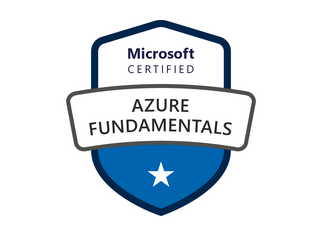
At the moment my certification target is the exam Az-104: Microsoft Azure Administrator. I’ve started my studies in the middle of January, so 2 weeks ago I decided to have a shot at the exam Az-900: Azure Fundamentals, just to have an idea of how my studies are going on, got approved on that \0/ !!

image

My Badge

The exam isn’t that hard and has a lot of free content on the Microsoft Learn portal to help understand the exam measures (I will leave the link address at the end of the post).

My study method:

  1. I always read the outline of the skills measured in each exam.
  2. If there’s anything I’m not familiar with, I’ll read the documentation available in Microsoft Docs (always free and up-to-date).
  3. If I don’t understand what the documents are saying, I use my tenant for proper validations.
  4. I always dedicate 20 to 40 hours (per exam) to perform the laboratories (On Azure you can have a free tenant for 30 days to do your validations).
  5. When it comes to new technology, I start by watching the training available in Microsoft Learn, Pluralsight and/or Udemy.

That’s my method, share in the comments how’s your studies method?

So from now on, I will start posting my study path to get approved on these certifications and try to share some acquired knowledge for the most important skill measured on the exams.

Azure Free tenant: https://azure.microsoft.com/en-gb/free/

Microsoft Learning: https://docs.microsoft.com/en-us/learn/

Exam skills outline Az-900: https://docs.microsoft.com/en-us/learn/certifications/exams/az-900

Exam skills outline Az-104: https://docs.microsoft.com/en-us/learn/certifications/exams/az-104

Got it? Get Practical!

Welcome to Get Practical !

Well guys, we decided to create this Blog so we can discuss, answer questions, see tutorials and mainly contribute with the IT community in the dissemination of useful information. With our experience of working in IT, we will provide you with solutions to various issues that we have already faced and we were successful in trying to solve them. Every project and related troubleshoot that we experience from now on will be posted here so that a knowledge base is generated for everyone, and so everyone can consult and answer questions if we are facing similar problems.

Cheers,

Get Practical Team!