Creating Azure Support Tickets with PowerShell: A Step-by-Step Guide

24-7-IT-Support

Introduction

As cloud services become increasingly complex, the ability to manage and troubleshoot them effectively is crucial. Azure, Microsoft’s cloud computing service, offers a range of tools to help with this. Today, we’ll explore how you can leverage PowerShell, to create support tickets in Azure. This is particularly useful for automating support processes or integrating them into your existing PowerShell scripts.

Prerequisites
  • An Azure subscription
  • PowerShell installed on your system
  • Azure PowerShell Module

Step 1: Installing Azure PowerShell Module

First, ensure that the Azure PowerShell module is installed on your system. Open PowerShell and run:

Install-Module -Name Az -AllowClobber -Scope CurrentUser

Step 2: Authenticating with Azure

Next, log in to your Azure account using:

Connect-AzAccount

Follow the prompts to complete the authentication.

Continue reading “Creating Azure Support Tickets with PowerShell: A Step-by-Step Guide”

Implementing a Secure and Scalable Hub-and-Spoke Network Topology in Azure with Terraform

hub-spoke

Hub-and-spoke topology in Azure is a network configuration that uses a central hub to connect multiple spokes. The hub is a virtual network (VNet) that acts as a central point of connectivity to many spoke VNets. The spokes are VNets that peer with the hub and can be used to isolate workloads while sharing services protected by the hub. This topology simplifies network management and reduces the potential for costly network traffic charges by keeping traffic within the Azure network.

Benefits of Hub-and-Spoke Topology
  • Centralized Management: Centralized resources like network virtual appliances and gateways in the hub.
  • Cost-effective: Reduces the need for redundant connections, thus minimizing costs.
  • Security: Centralized security services like firewalls or intrusion detection systems.
  • Isolation: Spokes can be used to isolate workloads, environments, or applications.
  • Scalability: Easy to add new spokes as the organization grows.
Components of the Hub-and-Spoke Topology
  1. Hub Virtual Network: Contains shared services like Azure Firewall, VPN Gateway, and Azure Bastion.
  2. Spoke Virtual Networks: Contains resources such as virtual machines (VMs) and are connected to the hub via VNet peering.
  3. VPN Gateway: Connects on-premises networks to the Azure VNet.
  4. Azure Firewall: Provides a centralized, network-level protection.
  5. Azure Monitor: Monitors the health and connectivity of the network.
  6. DDoS Protection: Protects the Azure resources from DDoS attacks.

Continue reading “Implementing a Secure and Scalable Hub-and-Spoke Network Topology in Azure with Terraform”

Streamlining Role Management in Azure AD with PowerShell and Microsoft Graph

image

In today’s rapidly evolving IT ecosystem, effective role management is key. This is especially true for large organisations where managing roles for individual users can quickly become overwhelming. For businesses that leverage Microsoft Azure, there are robust tools at hand that can dramatically simplify and automate these intricate tasks. Among these tools, PowerShell in conjunction with Microsoft Graph stands out for its administrative efficiency.

In this blog post, we’re going to guide you through the process of crafting a PowerShell script that utilises Microsoft Graph to identify a specific Azure AD group and remove all roles assigned directly to all group members. Let’s get started!

Preparations

Before we dive in, there are a few prerequisites to note. Firstly, ensure that you have the Microsoft Graph PowerShell SDK installed. If not, use the Install-Module -Name Microsoft.Graph command in your PowerShell to add it.

Next, establish a connection to Microsoft Graph by using the Connect-MgGraph cmdlet.

Finally, remember to tread carefully when modifying user permissions. Scripts that implement bulk changes can be particularly powerful, but also potentially disruptive if not properly managed. It’s always wise to run tests with a small number of users before applying changes across an entire group.

Continue reading “Streamlining Role Management in Azure AD with PowerShell and Microsoft Graph”

Sending Emails Using Microsoft Graph API and PowerShell: An Advanced Guide

Graph

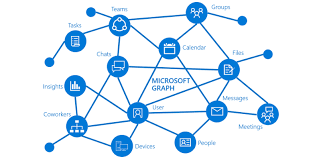
In this blog post, we’re going to explore how to send emails using Microsoft’s Graph API in combination with PowerShell. The Graph API provides a unified programmability model that you can use to take advantage of the tremendous amount of data in Microsoft 365, Azure Active Directory, and other Microsoft services.

Microsoft Graph is a powerful API provided by Microsoft that allows for interaction with various Microsoft services such as Office 365, Azure Active Directory, Intune, and more. With Graph, we can automate tasks that interact with these Microsoft services in a simple and intuitive way.

One such task is sending emails, which we can automate using Graph API and PowerShell. In this guide, we’ll walk you through how to do this, using a provided PowerShell script as our starting point. We’ll also be generalizing all the variables to make the script usable for any case.

The script is divided into three main parts:

  1. Authentication
  2. Preparation of the email’s body and headers
  3. Sending the email

Let’s walk through the script step-by-step.

IMPORTANT: For this script to work correctly, the application in Azure AD that corresponds to your $AppID and $AppSecret needs to have the Mail.Send permission granted under the Microsoft Graph API permissions. Without this, the application won’t have the necessary permissions to send emails on behalf of users.

Note: Make sure to replace all the placeholder variables with your actual values.

Continue reading “Sending Emails Using Microsoft Graph API and PowerShell: An Advanced Guide”

Study guide for Azure Networking Solutions

Hey guys! Today I come here to share with you my journey to achieve Azure Networking Solutions certification. To get the title of Azure Networking Engineer, you need to pass the AZ-700 exam.

image

My badge validation link

Microsoft’s AZ-700 Designing and Implementing Microsoft Azure Networking Solutions certification exam is designed for IT professionals who want to prove their skills in designing and implementing networking solutions in Azure. Passing this exam requires a comprehensive understanding of Azure networking services, network security, and hybrid connectivity.

Continue reading “Study guide for Azure Networking Solutions”