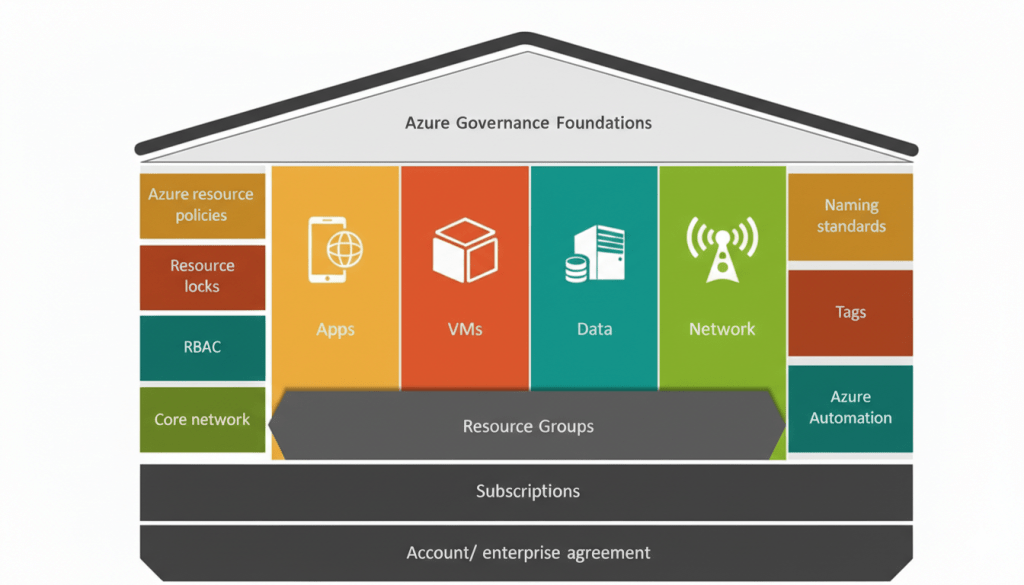
Azure Health Check – A Free Script to Audit and Visualise Cloud Hygiene

Are you running Azure subscriptions and want a quick, human-friendly overview of your governance, compute, storage, network and Key Vault hygiene?
The Azure Health Check PowerShell script gives you exactly that — scanning multiple subscriptions, flagging weak spots, and producing a clean interactive HTML report (with charts!).

Why this matters

Large and growing Azure estates can easily drift into insecure or unsupported configurations: unprotected VMs, public storage blobs, missing resource locks, orphaned disks, exposed network ports — all of which can lead to security, availability or compliance issues.

Yet manually auditing each subscription is time-consuming. That’s where automation helps. With this script, you get a multi-subscription health summary, scored, visualised and exportable — ideal for periodic reviews, customer readiness checks, or even compliance audits.

Continue reading “Azure Health Check – A Free Script to Audit and Visualise Cloud Hygiene”

How to Use Azure Policy for Better Cloud Management

When you work in the cloud, keeping things organised is very important. Azure Policy is a simple tool that helps enforce rules on your resources. In this post, I’ll explain what Azure Policy is and show you a basic example of using it to require a tag on all your resources.

What is Azure Policy?

Azure Policy lets you set rules for your cloud resources. For example, you might want every resource to have a tag called Cost Centre so you know which department it belongs to. If someone tries to create a resource without that tag, the policy can stop it from being created.

This tool is very useful because it helps everyone on your team follow the same guidelines and keeps your cloud resources well organised.

A Simple Example: Requiring a "Cost Centre" Tag

In this example, we’ll create a custom policy that requires every resource to have a Cost Centre tag. If the tag is missing, the resource won’t be allowed.

Overview of the Steps
  1. Create the policy rule file.

  2. Create the policy parameters file.

  3. Create the policy definition in Azure using the Azure CLI.

  4. Assign the policy to a scope.

  5. Check if your policy is working.

Continue reading “How to Use Azure Policy for Better Cloud Management”

Simplifying Azure Storage: Choosing the Right Type for Your Data

Azure Storage Types

As an Azure Solutions Architect, I often come across clients who find Azure’s wide range of storage options overwhelming. In this post, I’ll break down Azure Storage into simple terms, so you can make the right choice for your needs.


What is Azure Storage?

Azure Storage is a cloud service that provides scalable, durable, and secure storage solutions. Whether you need to store files, structured data, or backups, Azure Storage has an option for you.

Types of Azure Storage

Here are the main storage options and their typical use cases:

  1. Blob Storage
    Think of this as a place for large files—videos, images, backups, or any unstructured data.

    • When to Use: Hosting static website content, storing backups, or media streaming.
    • Cool Feature: Access tiers (Hot, Cool, and Archive) let you optimise costs based on how often you access the data.
  2. File Storage
    Like a network share in the cloud! Ideal for replacing on-premises file servers.

    • When to Use: Lift-and-shift applications that rely on file shares.
    • Cool Feature: It supports SMB and NFS protocols, so it integrates easily with existing systems.
  3. Table Storage
    A NoSQL store for lightweight, structured data.

    • When to Use: Logging, metadata storage, or applications requiring fast key-value lookups.
    • Cool Feature: It’s incredibly cost-effective and lightning-fast for specific use cases.
  4. Queue Storage
    A messaging store to decouple application components.

    • When to Use: When building distributed apps or processing background tasks.
    • Cool Feature: Works seamlessly with Azure Functions for event-driven architectures.
  5. Disk Storage
    Persistent storage for Virtual Machines (VMs).

    • When to Use: Running workloads like databases, where performance and durability matter.
    • Cool Feature: Options like Ultra Disks offer high throughput for demanding workloads.

Continue reading “Simplifying Azure Storage: Choosing the Right Type for Your Data”

Implementing a Secure and Scalable Hub-and-Spoke Network Topology in Azure with Terraform

hub-spoke

Hub-and-spoke topology in Azure is a network configuration that uses a central hub to connect multiple spokes. The hub is a virtual network (VNet) that acts as a central point of connectivity to many spoke VNets. The spokes are VNets that peer with the hub and can be used to isolate workloads while sharing services protected by the hub. This topology simplifies network management and reduces the potential for costly network traffic charges by keeping traffic within the Azure network.

Benefits of Hub-and-Spoke Topology
  • Centralized Management: Centralized resources like network virtual appliances and gateways in the hub.
  • Cost-effective: Reduces the need for redundant connections, thus minimizing costs.
  • Security: Centralized security services like firewalls or intrusion detection systems.
  • Isolation: Spokes can be used to isolate workloads, environments, or applications.
  • Scalability: Easy to add new spokes as the organization grows.
Components of the Hub-and-Spoke Topology
  1. Hub Virtual Network: Contains shared services like Azure Firewall, VPN Gateway, and Azure Bastion.
  2. Spoke Virtual Networks: Contains resources such as virtual machines (VMs) and are connected to the hub via VNet peering.
  3. VPN Gateway: Connects on-premises networks to the Azure VNet.
  4. Azure Firewall: Provides a centralized, network-level protection.
  5. Azure Monitor: Monitors the health and connectivity of the network.
  6. DDoS Protection: Protects the Azure resources from DDoS attacks.

Continue reading “Implementing a Secure and Scalable Hub-and-Spoke Network Topology in Azure with Terraform”