
Hey guys!
Here is Bruno, and I’ll be in charge of the Cisco side of this Blog, more specifically, Collaboration.
For my opening post, I’d like to talk about a feature on CUCM that, due all this pandemic situation, is being largely implemented.
Cisco Single Number Reach (SNR), or known as Mobile Connect, is a feature which allows users to answer incoming calls to their extension on either their desktop IP phone or at a remote destination, such as a mobile phone.
As many companies had to send employees to work from home, SNR becomes really useful to cover some gaps you may have in your infrastructure.
To give you some practical examples, there were 2 situations where I configured SRN to save user’s life.
In the first, a small company didn’t have a good infra to send users to home (lack of bandwidth, poor VPN) and in the second, users were vendors and firewalls didn’t allow them to have Jabber connected to VPN.
In both situations, users had to receive calls from a queue on UCCX.
I came up with SNR for both cases, so users could work from home, and even though they weren’t using any softphone, they could answer calls coming from they extension.
Although Cisco does not mention in its Documentation, I configured and tested SNR with UCCX with success 
So, how does this work?
When a call comes in to your Extension Number, SNR will reroute the call not only to a DN, but also to your remote number, that can be your mobile phone. If needed, you can configure rerouting to a group of remote numbers that belong to an employee.
In other words, SNR provides you a functionality similar to Shared Line. The difference is that in this case a shared line is organized between an office phone and some remote device that isn’t necessary in a cluster, not between the phones within a cluster.

Said that, let’s get down to business!
What do you need to configure?
Configuring End User
Configuring Remote Destination Profile
Configuring Remote Destination
Configuring End User
In the End User page, make sure the Device is already associated in the Controlled Devices and its Line is assigned as Primary Line


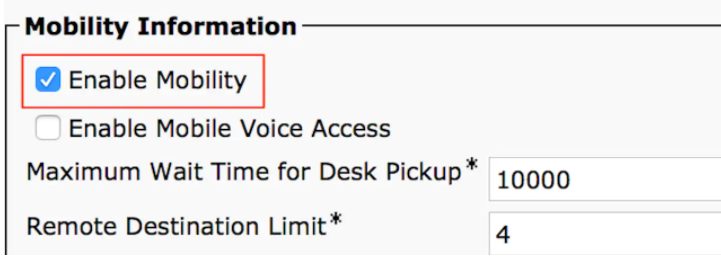
Check the Enable Mobility check box. You can also, modify the Maximum Wait Time for Desk Pickup and Remote Destination Limit if required. Moreover, the default values can be seen in the image.
Configuring Remote Destination Profile
Time to create a new Remote Destination Profile.
On CUCM, go to Device > Device Settings > Remote Destination Profile > Add new
You can choose any name, associate your user ID, give a calling search space and a rerouting CSS.
CUCM attempts to reach the remote destination through the Rerouting calling search Space.

Click Save, now you can see an option to add a new Directory number (DN) .
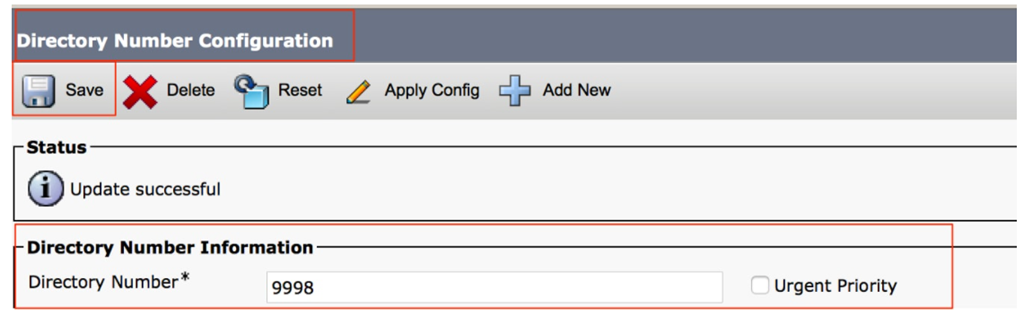
Click Add a new DN to navigate to directory number configuration, where you need to specify the directory number of the desk phone with which you need to associate the RDP and then click Save.

Configuring Remote Destination
Time to configure the Remote Destination.
Specify the Destination number, as this is the number for your Remote destination.
Ensure that the check box, Enable Unified Mobility features, Enable Single Number Reach, Enable Move to Mobile is checked.
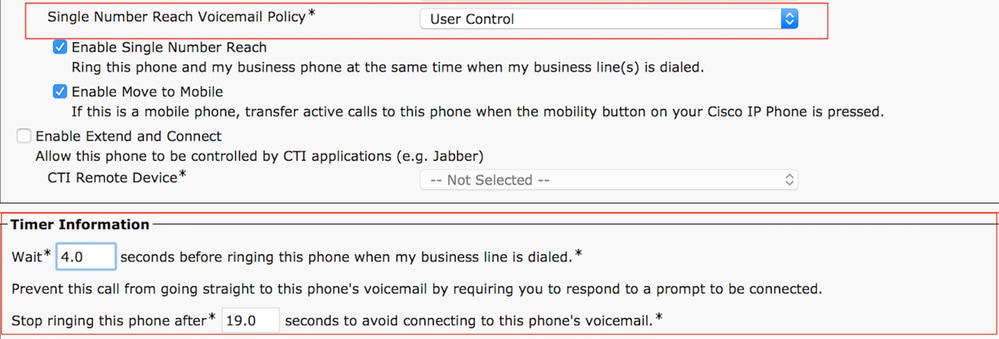
Single Number Reach Voicemail Policy provides two options: Timer control and User Control, of which the former one is default.
Under the section Timer information, you can specify the amount of delay before which the Remote Destination should ring.
In case if the Remote Destination is required to ring immediately, you should set the Wait as 0.
It is also important to calibrate the time in which the service provider of the remote destination sends the call to the voice-mail of the remote destination. The Stop ringing this phone after value should be set lesser then that to ensure that call does not go to the voicemail of the cell phone. This time value is specified against Stop ringing this phone after.

If the SNR voicemail policy is configured for User Control, timer information changes as shown in the image:
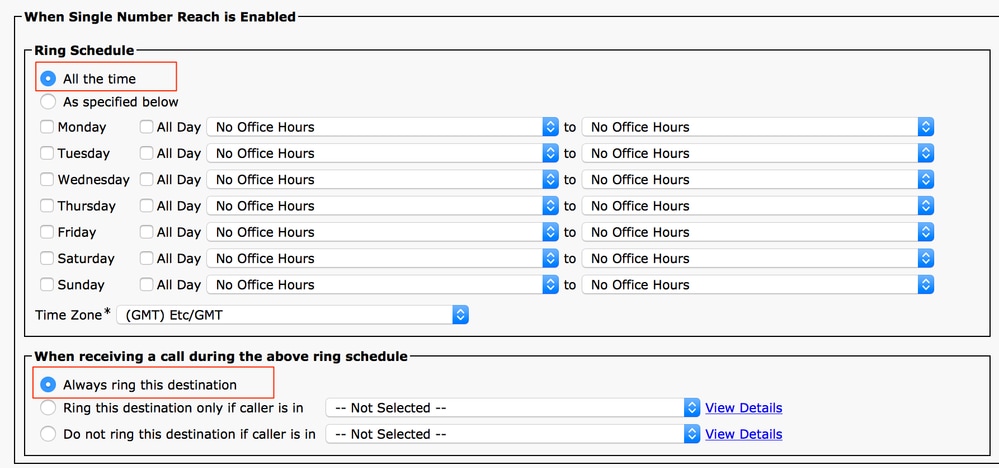
In case the SNR configuration needs to be restricted based on time and day then these options are modified as required. If no restriction is needed to be applied then Ring Schedule should be set to All the time and When receiving a call during the above ring schedule should be set to Always ring this destination.
After you complete the configuration of remote destination, click Save.
IMPORTANT STEP!!!
Check the checkbox, which is next to the line and click Save.

That’s all guys!
I hope this post will help you out!
See ya!
Bruno Falco

 Get Practical