Sending Emails Using Microsoft Graph API and PowerShell: An Advanced Guide

Graph

In this blog post, we’re going to explore how to send emails using Microsoft’s Graph API in combination with PowerShell. The Graph API provides a unified programmability model that you can use to take advantage of the tremendous amount of data in Microsoft 365, Azure Active Directory, and other Microsoft services.

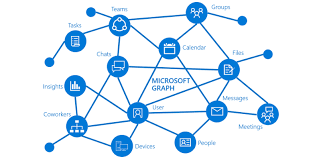
Microsoft Graph is a powerful API provided by Microsoft that allows for interaction with various Microsoft services such as Office 365, Azure Active Directory, Intune, and more. With Graph, we can automate tasks that interact with these Microsoft services in a simple and intuitive way.

One such task is sending emails, which we can automate using Graph API and PowerShell. In this guide, we’ll walk you through how to do this, using a provided PowerShell script as our starting point. We’ll also be generalizing all the variables to make the script usable for any case.

The script is divided into three main parts:

  1. Authentication
  2. Preparation of the email’s body and headers
  3. Sending the email

Let’s walk through the script step-by-step.

IMPORTANT: For this script to work correctly, the application in Azure AD that corresponds to your $AppID and $AppSecret needs to have the Mail.Send permission granted under the Microsoft Graph API permissions. Without this, the application won’t have the necessary permissions to send emails on behalf of users.

Note: Make sure to replace all the placeholder variables with your actual values.

Continue reading “Sending Emails Using Microsoft Graph API and PowerShell: An Advanced Guide”

Study guide for Azure Solutions Architect

Hello there, cloud enthusiasts!

If you’ve landed on this page, it’s likely that you’re preparing for the AZ-305: Designing Microsoft Azure Infrastructure Solutions exam. This exam is the latest version designed to validate your knowledge and skills needed to design solutions that run on Microsoft Azure, including aspects such as compute, network, storage, and security. Today, I’m excited to share my insights and the study guide that helped me successfully pass the AZ-305 exam recently.

image

My new Badge =)

Continue reading “Study guide for Azure Solutions Architect”

Study guide for Azure Networking Solutions

Hey guys! Today I come here to share with you my journey to achieve Azure Networking Solutions certification. To get the title of Azure Networking Engineer, you need to pass the AZ-700 exam.

image

My badge validation link

Microsoft’s AZ-700 Designing and Implementing Microsoft Azure Networking Solutions certification exam is designed for IT professionals who want to prove their skills in designing and implementing networking solutions in Azure. Passing this exam requires a comprehensive understanding of Azure networking services, network security, and hybrid connectivity.

Continue reading “Study guide for Azure Networking Solutions”

Get-MgUser: Get and Export Azure AD users properties with Graph Modules

Graph_01

Hello everyone,

Recently Microsoft started adding/changing ways to extract user information from Azure AD (The Microsoft plan is to replace the AzureAD PS Module). One of the new ways (Not so new) is through the Microsoft Graph, which can be used through the Graph API or through the Graph Modules. In this article I will demonstrate how to install the graph module and also how to perform some queries using the existing cmdlets in one of the Microsoft Graph Modules.

Continue reading “Get-MgUser: Get and Export Azure AD users properties with Graph Modules”

Goodbye 2022 and Welcome 2023! #ThankYou

thankyou

Hey guys!

Today I just come here to thank you and share with you our goals achieved with the blog in our second year. We (Bruno and I) started this blog in February 2021, more precisely on 11/02/2021. Our idea was to share our knowledge and experience, help other people, learn and evolve as professionals. Honestly, we are very happy with our results and even more with our knowledge evolution, throughout the years we received several feedbacks and we were really happy with the idea of having helped some people and maybe many others around the world. Of course we need to say that it is daring to create a blog in a language that is not our native language, and this was and is a great challenge for us, but we believe that the message has been delivered and we hope that in 2023 we can make everything even better , always aiming to evolve.

Continue reading “Goodbye 2022 and Welcome 2023! #ThankYou”