Study guide for Azure Networking Solutions

Hey guys! Today I come here to share with you my journey to achieve Azure Networking Solutions certification. To get the title of Azure Networking Engineer, you need to pass the AZ-700 exam.

image

My badge validation link

Microsoft’s AZ-700 Designing and Implementing Microsoft Azure Networking Solutions certification exam is designed for IT professionals who want to prove their skills in designing and implementing networking solutions in Azure. Passing this exam requires a comprehensive understanding of Azure networking services, network security, and hybrid connectivity.

Continue reading “Study guide for Azure Networking Solutions”

Get-MgUser: Get and Export Azure AD users properties with Graph Modules

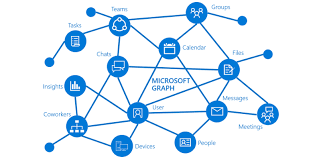
Graph_01

Hello everyone,

Recently Microsoft started adding/changing ways to extract user information from Azure AD (The Microsoft plan is to replace the AzureAD PS Module). One of the new ways (Not so new) is through the Microsoft Graph, which can be used through the Graph API or through the Graph Modules. In this article I will demonstrate how to install the graph module and also how to perform some queries using the existing cmdlets in one of the Microsoft Graph Modules.

Continue reading “Get-MgUser: Get and Export Azure AD users properties with Graph Modules”

Goodbye 2022 and Welcome 2023! #ThankYou

thankyou

Hey guys!

Today I just come here to thank you and share with you our goals achieved with the blog in our second year. We (Bruno and I) started this blog in February 2021, more precisely on 11/02/2021. Our idea was to share our knowledge and experience, help other people, learn and evolve as professionals. Honestly, we are very happy with our results and even more with our knowledge evolution, throughout the years we received several feedbacks and we were really happy with the idea of having helped some people and maybe many others around the world. Of course we need to say that it is daring to create a blog in a language that is not our native language, and this was and is a great challenge for us, but we believe that the message has been delivered and we hope that in 2023 we can make everything even better , always aiming to evolve.

Continue reading “Goodbye 2022 and Welcome 2023! #ThankYou”

Removing Azure Locks from Resource Group using PowerShell

Today’s post is quick and simple folks. In today’s article I will show you how to remove Azure Locks from a Resource Group.

First let’s declare the Resource group variable:
$Resource = “RG_GETPRACTICAL”

AzLocks_01

After the declared variable we can execute the command “Get-AzResourceLock” using a pipe “|” so we can refer to the Resource Group same as the variable above.

Continue reading “Removing Azure Locks from Resource Group using PowerShell”

Azure Function TimerTrigger1 failed due to timeout exception

Hello guys,

Today I’d like to share one of the issues that I had in Azure of one of the company customers I work for.

The customer has a script that turns VMs ON/OFF based on the time stated on the VM’s tag. For example, a VM has a tag “StartTime: 06:00” and “StopTime: 23:00”, this Azure Function runs every 1 hour and compares the current time with the time stated on the VM’s tag, if the time matches, the VM will be turned ON/OFF.

Everything was working very well, but when the customer decided to increase the number of tagged VMs, the Azure Function started returning with the timeout error. We initially thought it was the “Consumption plan”, which by default has a timeout of 5 minutes. We changed the plan, which allowed unlimited timeout (1 hour recommended by MS). And yet the function continues to give the timeout error.

AzFuntion_01

We decided to split the VMs with a trigger for each subscription (The initial Azure function varies all subscriptions by looking for the tag and comparing the time), it didn’t work either.

AzFuntion_02

We raised a ticket with MS, it took several days of troubleshoot and nothing to find the root cause of the problem. Until I decided to look deeper into the function code and realized that every time the function was executed and the script turned ON/OFF a VM, the function had a significant pause in between turning ON/OFF VMs.

AzFuntion_03

So I decided to add to the code -NoWait and guess what? It worked!! The timeout stopped happening and the function started to be executed in less than 2 minutes, even with several VMs being tagged.

Initial code: Start-AzVM -Name $vm.Name -ResourceGroupName $vm.ResourceGroupName

Final code: Start-AzVM -Name $vm.Name -ResourceGroupName $vm.ResourceGroupName –NoWait

Ps. I don’t want to share the whole code, as I took it from the customer environment.

Apparently the function worker was waiting for a return from the previous command (Stop or Start the tagged VM), but in some cases the return wasn’t happening and the function was getting stuck.

In the moment I added the command to ignore the return (-NoWait) the function started working perfectly again.

That’s all for today guys, see you later!

Joao Costa