Setting Up Custom Security Attributes with Microsoft Graph in Azure

Untitled design - 1

So, you’ve probably heard about custom security attributes in Azure AD, right? If not, let me break it down for you. Azure AD lets the cool tech folks (like you and me) craft our own attributes in the directory. Think of it as putting a custom sticker or label on certain users. Maybe you’ve got people working in specific departments or on particular projects? These custom attributes are like those name tags at networking events but way less awkward. And the best part? These can be a game-changer when you’re setting up stuff like conditional access policies.

Before diving deep, you’ll need the Microsoft.Graph module. It’s your gateway to all things Microsoft Graph when you’re in the PowerShell realm.

Alright, setting up a custom attribute. Graph isn’t going to hand-deliver this one, but here’s a workaround:

# First things first, connect to Graph
Connect-MgGraph


# Details for our new attribute
$attributeDetails = @{
     id = “customExtension_DepartmentCode”
     dataType = “String”
     targetObjects = [“User”]
} | ConvertTo-Json


# Now, make it real
Invoke-MgGraphRequest -Method POST -Uri “
https://graph.microsoft.com/v1.0/schemaExtensions” -Body $attributeDetails

Continue reading “Setting Up Custom Security Attributes with Microsoft Graph in Azure”
Sending Emails Using Microsoft Graph API and PowerShell: An Advanced Guide

Graph

In this blog post, we’re going to explore how to send emails using Microsoft’s Graph API in combination with PowerShell. The Graph API provides a unified programmability model that you can use to take advantage of the tremendous amount of data in Microsoft 365, Azure Active Directory, and other Microsoft services.

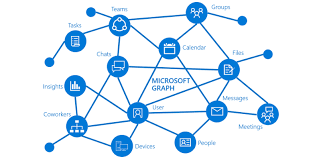
Microsoft Graph is a powerful API provided by Microsoft that allows for interaction with various Microsoft services such as Office 365, Azure Active Directory, Intune, and more. With Graph, we can automate tasks that interact with these Microsoft services in a simple and intuitive way.

One such task is sending emails, which we can automate using Graph API and PowerShell. In this guide, we’ll walk you through how to do this, using a provided PowerShell script as our starting point. We’ll also be generalizing all the variables to make the script usable for any case.

The script is divided into three main parts:

  1. Authentication
  2. Preparation of the email’s body and headers
  3. Sending the email

Let’s walk through the script step-by-step.

IMPORTANT: For this script to work correctly, the application in Azure AD that corresponds to your $AppID and $AppSecret needs to have the Mail.Send permission granted under the Microsoft Graph API permissions. Without this, the application won’t have the necessary permissions to send emails on behalf of users.

Note: Make sure to replace all the placeholder variables with your actual values.

Continue reading “Sending Emails Using Microsoft Graph API and PowerShell: An Advanced Guide”