
 João Paulo Costa
Today’s post is quick and simple folks. In today’s article I will show you how to remove Azure Locks from a Resource Group.
First let’s declare the Resource group variable:
$Resource = “RG_GETPRACTICAL”

After the declared variable we can execute the command “Get-AzResourceLock” using a pipe “|” so we can refer to the Resource Group same as the variable above.
And then the command to check if the $Resource has a “Lock” enabled:
Get-AzResourceLock | where ResourceGroupName -EQ $Resource
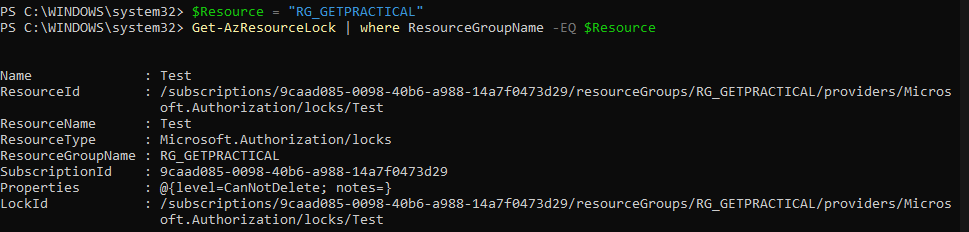
Finally, we can remove the lock:
Get-AzResourceLock | where ResourceGroupName -EQ $Resource | Remove-AzResourceLock –Force

Quick post today, that’s all folks.
Joao Paulo Costa
